Email Header Analyzer
Free email header analyzer. Paste raw headers to see SPF, DKIM and DMARC verdicts plus a hop-by-hop delivery timeline with delays. Instant, no login.
About the Email Header Analyzer
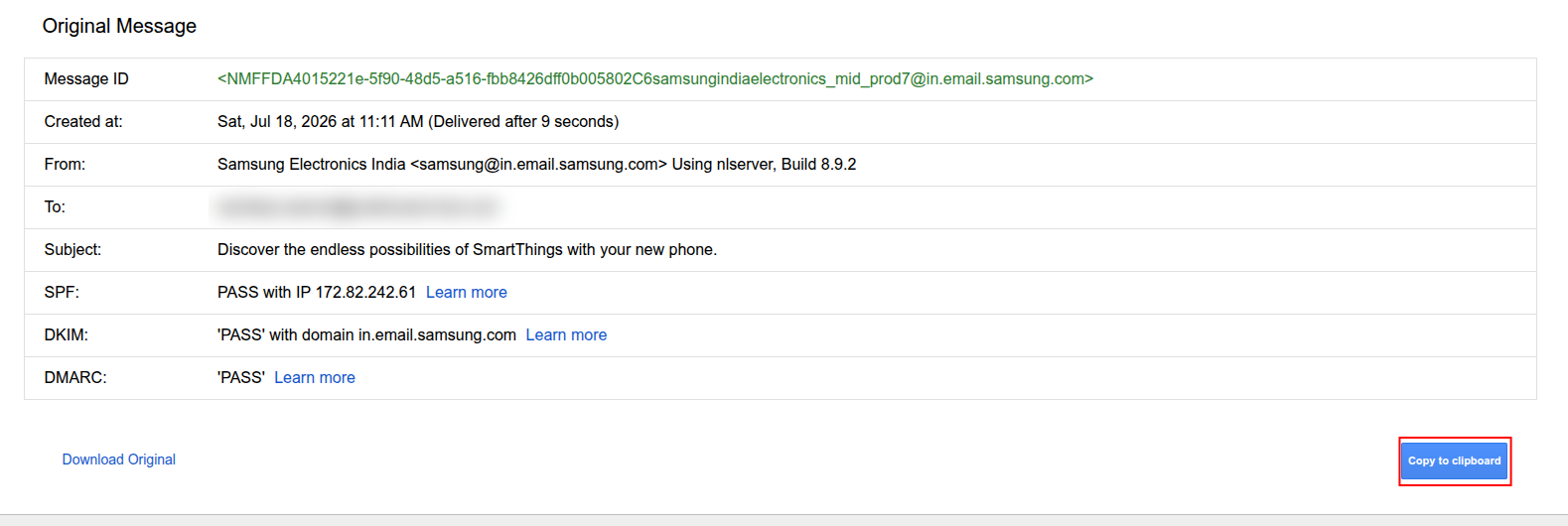
Paste raw email headers into this free analyzer to see the SPF, DKIM and DMARC results exactly as the receiving server evaluated them, plus a hop-by-hop delivery timeline that highlights where a message was delayed. It is the fastest way to diagnose why a specific email landed in spam or arrived late.
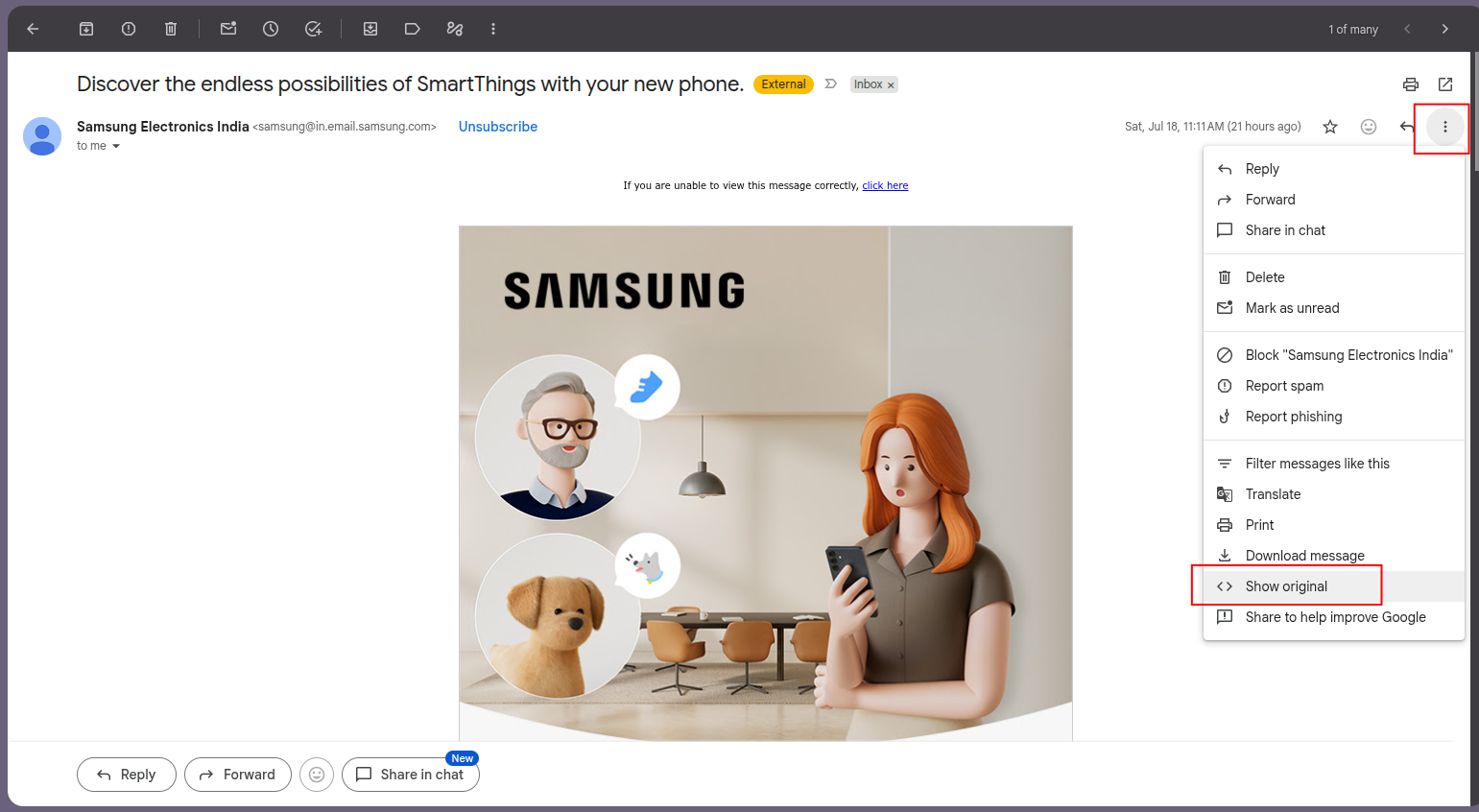
In Gmail, open the message, use the three-dot menu, choose Show original, and copy everything. Paste it above to get a full breakdown.
Frequently asked questions
How do I get email headers?
In Gmail: open the message, click the three-dot menu, choose Show original, and copy the full text. In Outlook: open the message, File then Properties, and copy the internet headers.
What do email headers tell me?
They show the full delivery path, each server the message passed through, timing between hops, and the SPF, DKIM and DMARC authentication results the receiver recorded.
Why was my email delayed?
The header timeline shows the gap between each hop. A large gap points to greylisting, an overloaded relay, or content scanning at a specific server, which the analyzer highlights.
Did this check reveal a problem?
Postbox Consultancy Services fixes email deliverability for a living - 500+ clients over 10+ years. Authentication, blacklist recovery, cold email infrastructure and full audits.